
AI agents that run customer support, end to end.
Owlish turns your help center, docs, PDFs, and FAQs into AI agents that answer customers with source citations, take useful actions, and escalate to your team when a human should step in.
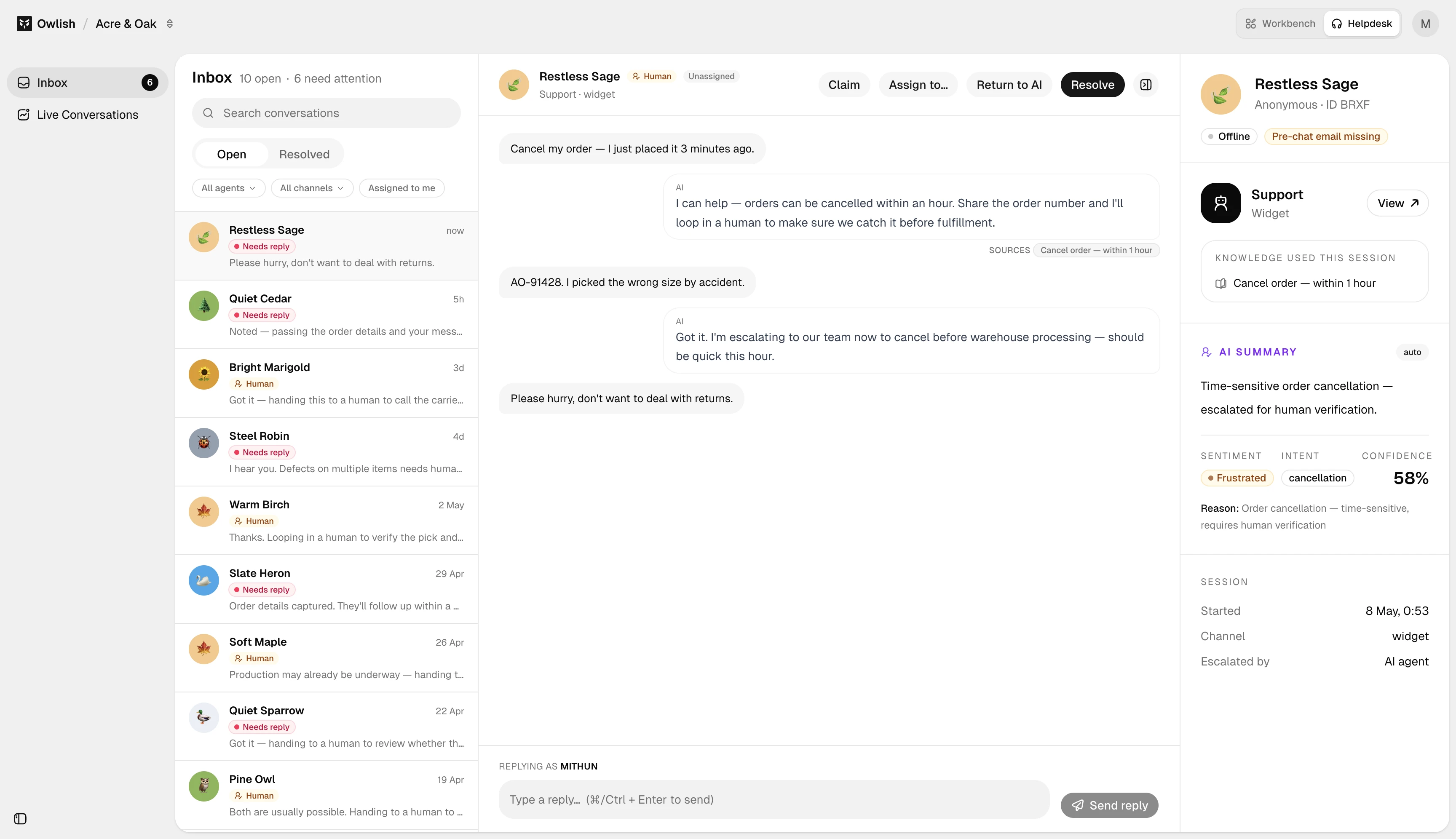
Every answer is tied back to your source material, so customers get help without invented policy or product claims.
A support operation, not just another chat bubble.
Owlish covers the full loop: learn from your content, answer customers, escalate gracefully, and turn missed answers back into better knowledge.
Knowledge ingestion
Point Owlish at your website or help center, upload documents, add Q&A pairs, and keep sources current with scheduled sync.
Cited answers
The agent answers from your sources and cites the passages it used. When confidence is low, it can hand off instead of guessing.
Human handoff
Operators get the full transcript, attempted sources, and visitor context, so the handoff feels like continuity rather than a restart.
Multi-channel support
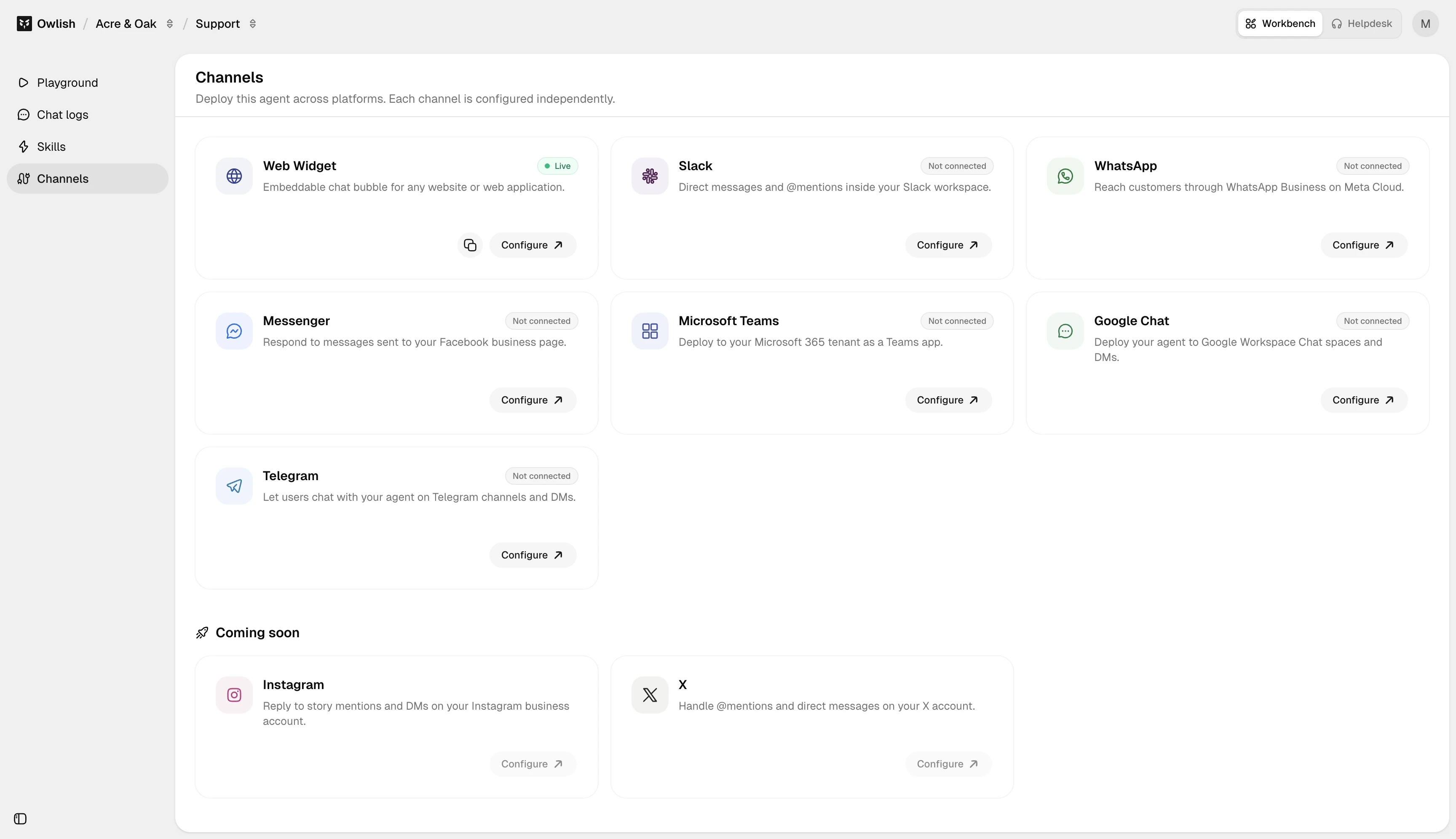
Deploy across the website widget, Slack, Microsoft Teams, Google Chat, WhatsApp, Messenger, Telegram, the public API, and MCP server. Instagram and email are marked soon.
Learning loop
Review conversations, find knowledge gaps, save better answers, and improve the agent as real customer questions come in.
Developer surface
Use the REST API, webhooks, and MCP server when you need Owlish to connect into your own workflows or internal tools.
From source material to resolved conversation.
Owlish is designed for teams that need accurate customer answers and a clean fallback path when automation is not enough.
Train the agent
Connect your website, docs, FAQs, and files. Owlish crawls and indexes the content your support answers should depend on.
Deploy where customers ask
Install the widget, connect social and team chat channels, or use the API and MCP server so customers and internal teams can get help where they already work.
Resolve, review, improve
Let the agent answer, act, or escalate. Your team reviews conversations, saves corrections, and closes knowledge gaps over time.
Meet customers across the channels they already use.
Most core channels are already supported. Customers can ask through web, social, and team chat surfaces, while staff keep replies and handoff inside Owlish.
- Web widgetSupported
- Slack, Microsoft Teams, Google ChatSupported
- WhatsApp, Messenger, TelegramSupported
- Public API and MCP serverSupported
- Instagram and emailSoon